
Case studies / Sign-Up & Contract Portal
Case study · Custom WordPress system
From inbox chaos to one sign-up and contract portal.
A lead-generation company was signing up new partners by email, spreadsheets and PDFs. We built a partner onboarding portal where partners apply, get approved, sign their contract online and get started, with every step tracked.
Client
Lead-generation company
Project
Partner sign-up and contract portal
What we did
Workflow design, custom plugin, online signing, emails
Platform
WordPress + form builder
01 — The problem
Every new partner meant another email thread.
Applications got lost
Forms, replies and attachments were spread across inboxes, so nobody knew who had applied.
Contracts filled in by hand
The right PDF had to be found, filled in, emailed, printed, signed, scanned and sent back.
Constant chasing
The team spent hours asking who had signed and who was starting when.
No history
There was no single record of what was sent to whom, and when.
02 — What we built
One portal for every partner.
A custom WordPress partner onboarding portal that takes each partner from application to signed contract automatically.
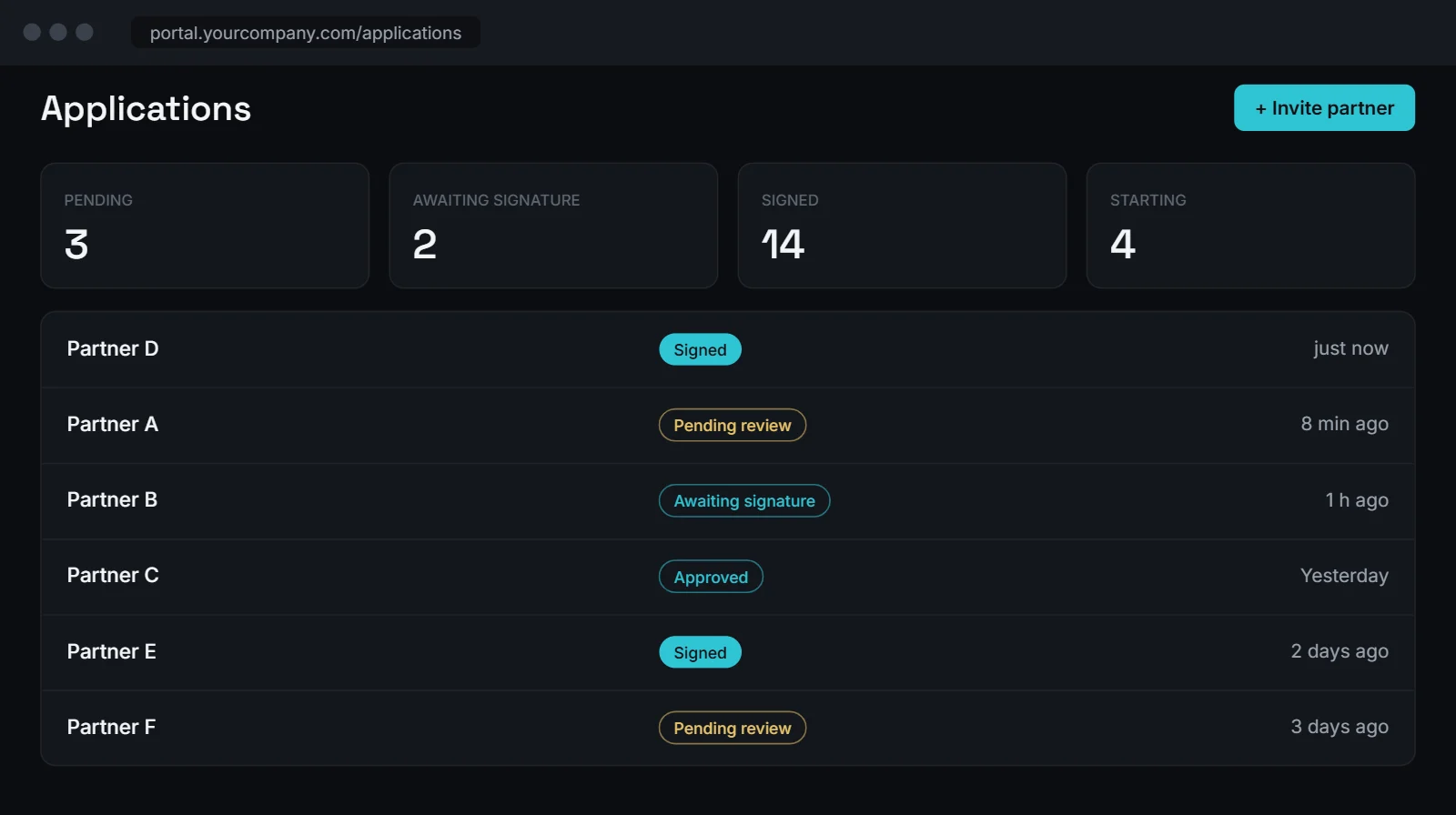
Every application lands in one place.
- Pending, approved, awaiting signature and signed tabs
- One-click approve or reject
- Full history for every partner
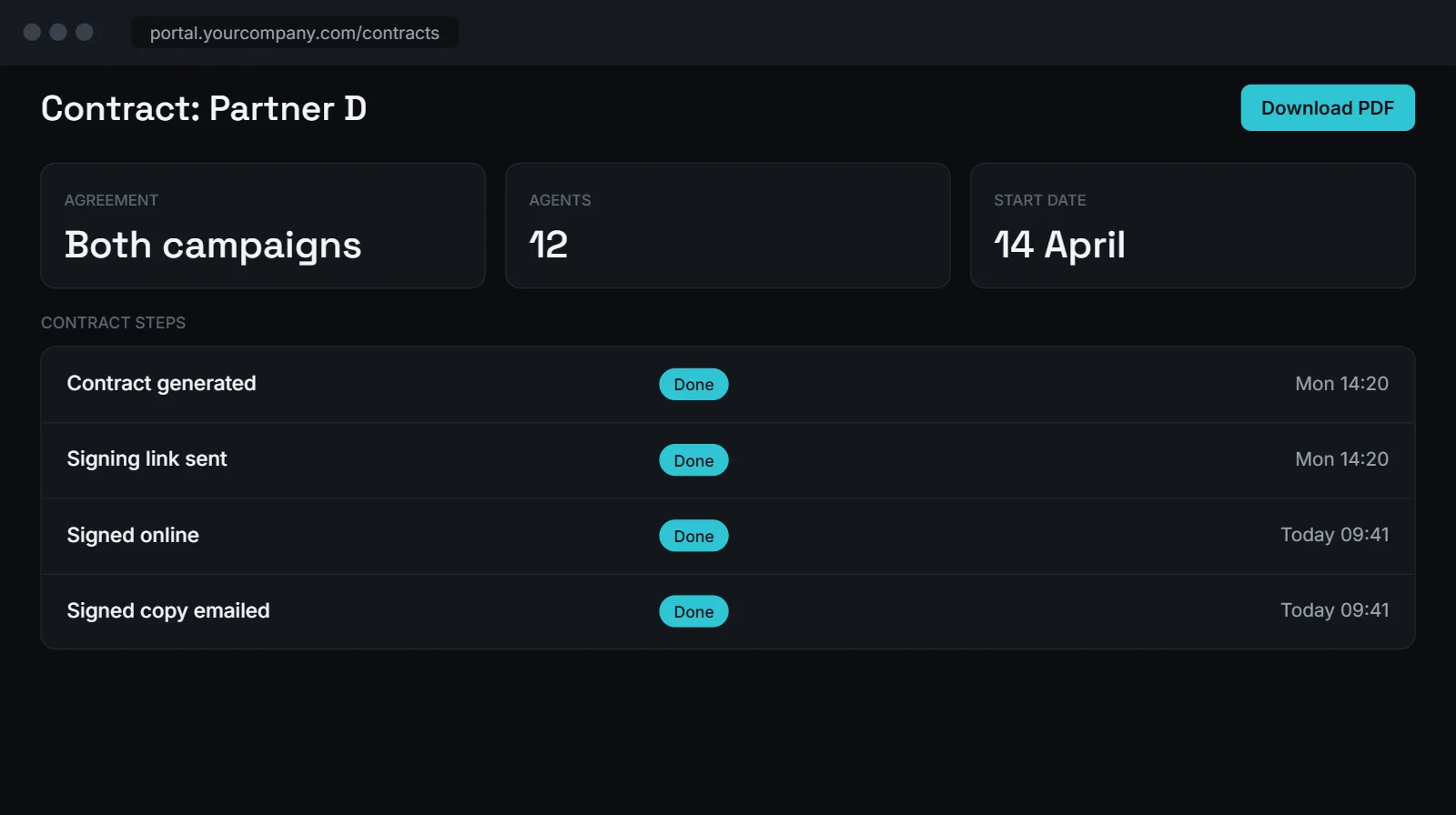
Contracts that fill themselves.
- The right contract is picked for each partner
- Filled in from their application automatically
- Sent for signing the moment they are approved
Agents: 12
Start date: 14 AprilFilled in automatically
Partners sign online in seconds.
- Sign on any phone or computer
- Signature and date stamped onto the contract
- Signed copy emailed to both sides
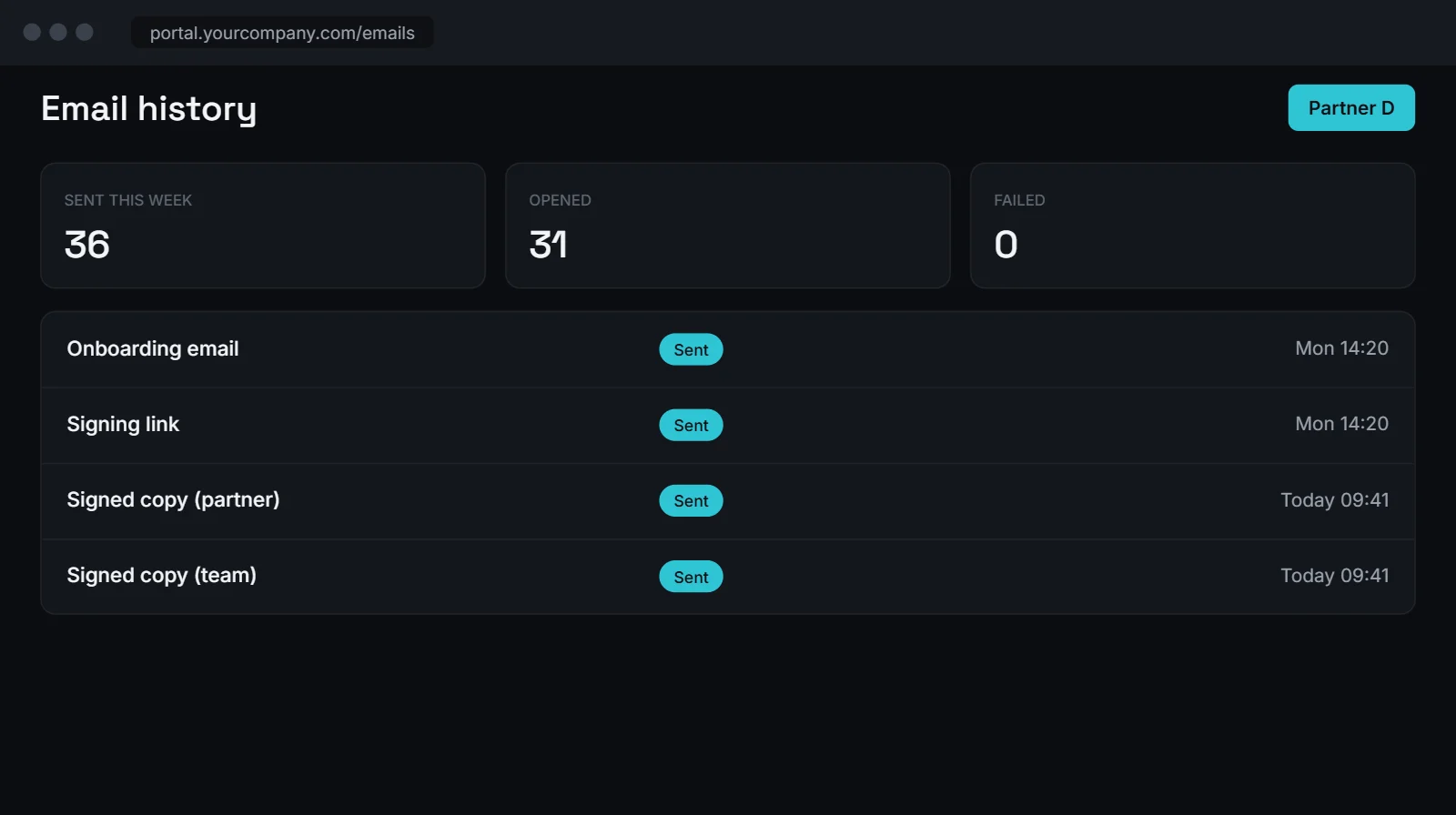
Every email, on record.
- Onboarding, signing and confirmation emails sent automatically
- Each one logged against the partner
- See instantly if something failed to send
Screens are illustrations with sample data. Real customer data is never shown.
03 — How it works
From application to signed and started.
1
Partner applies
Fills in one simple online form.
2
Team reviews
Approves or rejects in one click.
3
Contract fills itself
The right contract is filled in from the form.
4
Partner signs online
On their phone, in seconds.
5
Everyone is updated
Signed copies and status sent automatically.
04 — The full story
How we built the partner onboarding portal
Mapping the real process first
Before writing any code, we wrote down every step a new partner went through: the application, the review, the right contract, the signature, the welcome email and the start date. Most of the delays came from people waiting on each other, so the partner onboarding portal was planned around removing those waits.
One form, one record
Partners now apply through one simple online form inside the partner onboarding portal. Each application becomes a record the team can approve or reject in one click. Everything about that partner, from their answers to their contract and emails, stays on the same record.
Contracts that fill themselves
The moment a partner is approved, the right contract is picked and filled in with their details automatically. No more finding the PDF, typing it out and emailing it. The partner gets a link and signs online on their phone or computer. The signature and date are stamped onto the contract and a signed copy goes to both sides.
Every email on record
Onboarding, signing and confirmation emails are sent automatically by the partner onboarding portal and logged against each partner. If something fails to send, the team sees it straight away instead of finding out a week later.
If you are still onboarding partners, clients or suppliers by email, see how we build custom systems or tell us about your process.
05 — The result
Less chasing, more onboarding.
One place for every partner
Applications, contracts, status and emails together in one partner onboarding portal.
No more paperwork
Contracts are filled in and signed online.
Nothing falls through the cracks
Every step is tracked and every email is logged.
Built with
06 — Questions
Common questions about a partner onboarding portal
What is a partner onboarding portal?
It is a private website where new partners apply, get approved, sign their contract and get started. Your team sees every step in one place instead of across inboxes.
Can partners sign contracts online?
Yes. Partners sign on any phone or computer. Their signature and the date are added to the contract, and a signed copy is emailed to both sides.
Does it work with the forms we already use?
Usually, yes. This partner onboarding portal was built on WordPress with a form builder, and we connect it to the tools you already use where possible.
Can it be used for clients or suppliers too?
Yes. The same idea works for any sign-up that needs an application, an approval and a contract, such as clients, suppliers or contractors.
How long does a partner onboarding portal take to build?
It depends on how many steps and contract types you have. We give you a clear plan and a fixed quote before any work starts.