
Services / Online Stores
Online stores
Sell online with a store that’s easy to run.
We build each online store on WooCommerce or Shopify, with clear product pages, a simple checkout and orders that are easy to manage.
- Find products fastClear categories, search and filters.
- Product pagePhotos, sizes, price and delivery info in one place.
- Add to cartWithout being sent to another page.
- Trust signalsReviews, returns policy and secure payment shown clearly.
- Short checkoutOnly the fields you actually need.
- Payment optionsCards, wallets or cash on delivery where it fits.
- Shipping shown earlyNo surprise costs at the last step.
- Order confirmationAn email with everything they need.
- You get notifiedBy email, or on your phone.
- Stock updatesCounts go down on their own.
- Packing slip readyPrint it from the order screen.
- Customer gets trackingAs soon as you mark it shipped.
- Clear returns pageThey know the rules before asking.
- Return request formWith the order number filled in.
- Refund from the dashboardA few clicks, no spreadsheets.
- Stock goes backThe item is available to sell again.
The difference
Selling through DMs, or through a store.
A lot of businesses start by selling through messages. Switch it over to see the same sale on a store.
Someone wants to buy…
- Reply to “price?” for the 20th time
- Send photos one by one
- Check if it’s in stock
- Share bank details
- Wait for a payment screenshot
- Write the address in a notebook
What’s left for you: pack the order. The rest happened on the store.
What we do
What’s included in your online store.
Product pages
Photos, variations, prices and descriptions that answer questions.
Checkout and payments
A short checkout with the payment options your customers trust.
Shipping setup
Rates by city, weight or order total.
Stock and orders
One dashboard for orders, stock and customers.
Store SEO
Product titles, descriptions and image alt text set up for Google.
Easy to manage
Add products, change prices and run sales yourself.
Examples
What runs behind an online store.

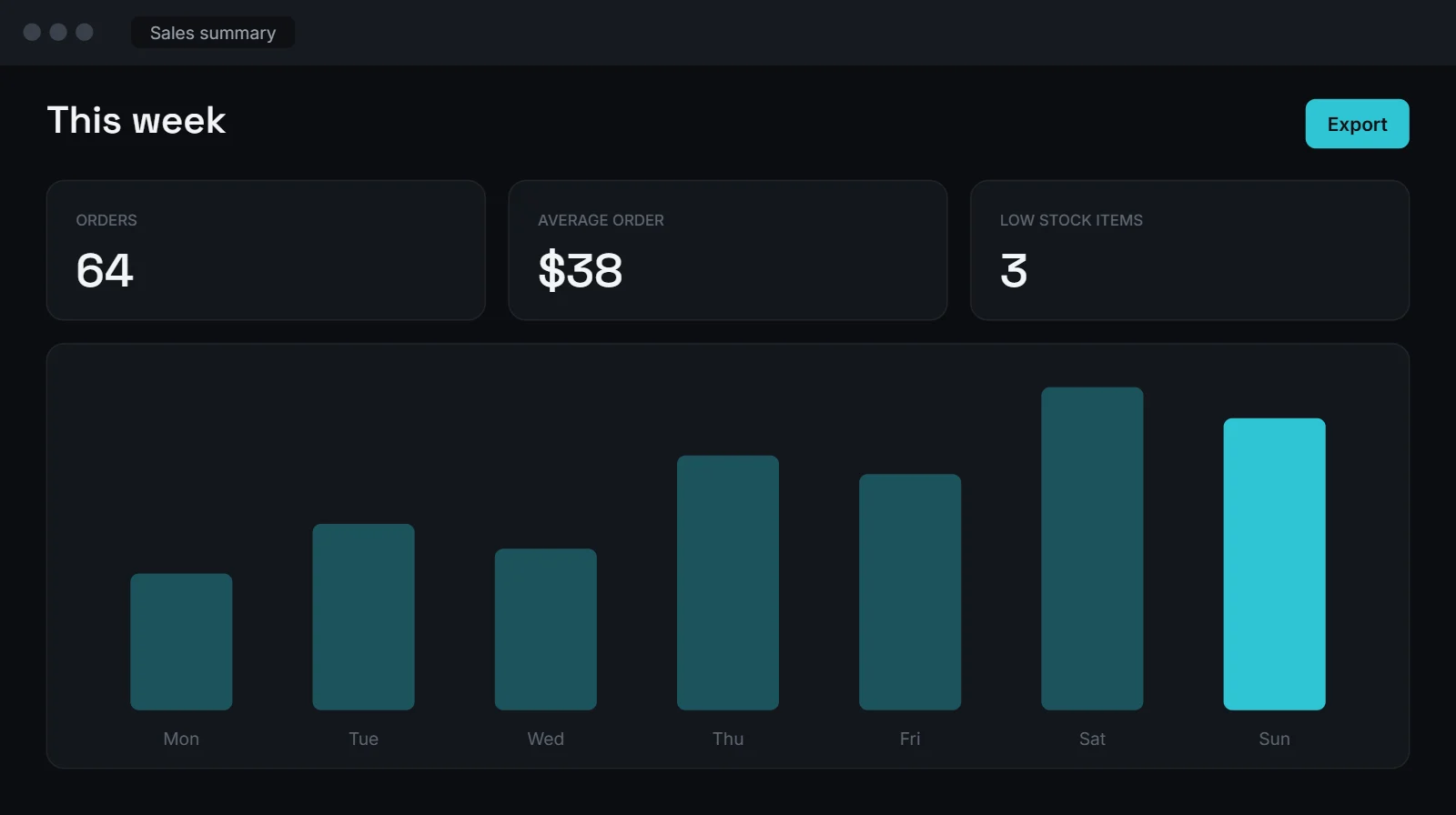


Example screens with sample data.
Tools we work with
WooCommerce or Shopify. We work with both.
Not sure which one? WooCommerce gives you more control, Shopify is simpler to run. We’ll help you choose.
Which one do you need?
An online store or a website? Here’s the short version.
Online store
Lets people buy directly, with checkout, payments and shipping.
Business Website
Explains what you do and brings in enquiries, bookings or calls.
See Business Websites →In plain words
How our online store development works
What does online store development include?
It covers everything between “I want to sell online” and your first order: choosing the platform, adding products, setting up payments and shipping, and making the store easy to use on a phone. We build each online store around how you actually sell, whether that’s 20 products or 2,000.
WooCommerce or Shopify?
WooCommerce runs on WordPress, so you own everything and can add custom features. Shopify is hosted for you and simple to manage, with a monthly fee. If you already have a WordPress site, WooCommerce usually makes sense. If you want the least upkeep, Shopify often does.
Taking a local shop online
Many stores we work with already sell in person. We help you organise products, set delivery areas and choose payment options your customers trust, including cash on delivery where that’s common.
Getting found after launch
A new online store needs visitors. We set up product titles, descriptions and image alt text for Google, connect Google Merchant Center if you want free product listings, and you can add SEO services or social media management later.
Running the store day to day
We show you how to add products, update stock and handle orders. If you’d like order updates, stock alerts or reminders to run on their own, see AI automation. For ongoing updates and backups, there’s website maintenance.
Process
Four steps, start to finish.
Questions
About online store development
Should my online store use WooCommerce or Shopify?
WooCommerce if you want full control or already use WordPress. Shopify if you want something simpler to run. We’ll help you decide.
Can you add my products?
Yes. Send us a spreadsheet, or photos and details, and we’ll add them.
Which payment methods can I offer?
Card payments through providers like Stripe or PayPal, plus local options and cash on delivery where available.
Can you move my existing store?
Yes. We can move products, customers and orders from another platform where the data allows it.
How much does an online store cost?
It depends on the number of products and features. After a short call we send a clear quote.
Often paired with
Related services
Ready to sell online?
Tell us what you sell.
We’ll suggest the right platform and send a clear quote.